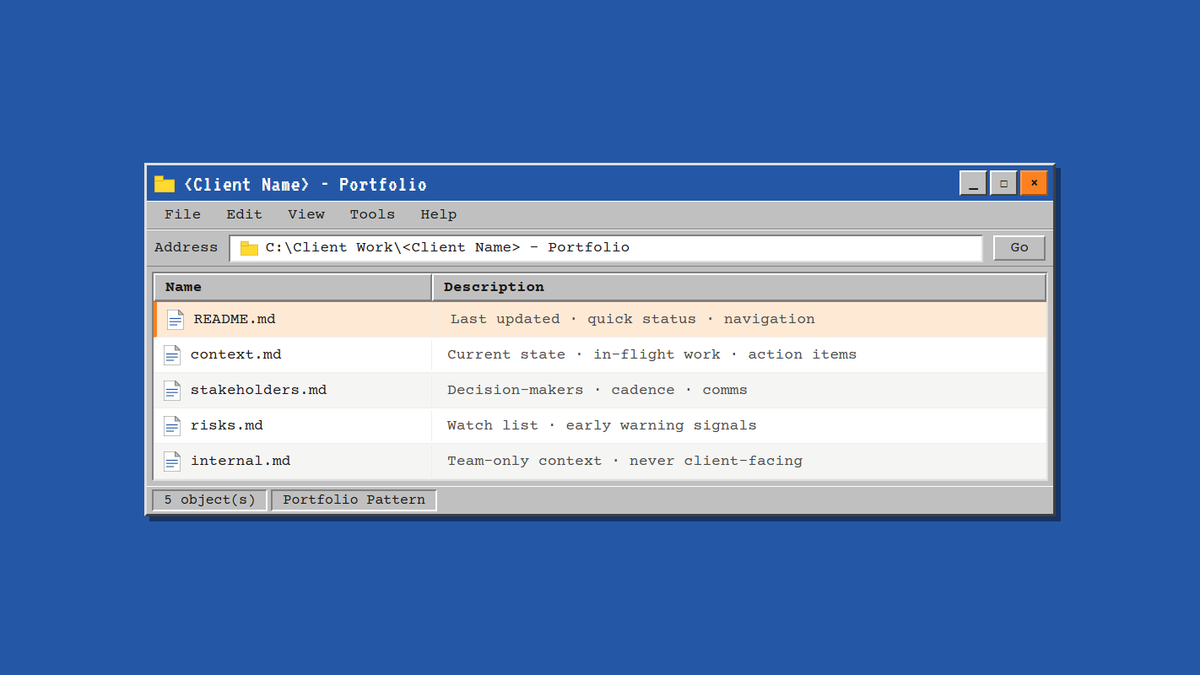
If you've read about the harness workflows for Claude Code, where you store CLAUDE.md in your project folders so every session starts with your architectural decisions, conventions, and constraints already loaded, you know the power of persistent context. You don't have to re-explain your codebase. Claude starts from a complete picture.
And if you ever asked a generative AI tool to help you with some client work, even a simple email to recap your meeting, you’ve probably hit a parallel problem in client-facing work that a "harness” solves perfectly.
TL;DR: Store client context in a folder of focused files that loads automatically with Claude projects. Build two repeatable skills, one to generate portfolios, one to maintain them from call transcripts. Result: Claude starts informed, you save tokens, and context scales across your team.
The Problem: Context Drift, Token Waste, Stale Data
Generative AI tools are broadly knowledgeable but lack in specificity. Claude can reason about SaaS, ecommerce, marketing workflows, and complex business problems. But it has no idea who your client is, what they hired you for, where things actually stand right now, or what the relationship's real pressure points are. Every conversation is a first meeting.
So you might try to work around it. You keep a single long chat open, pasting in context and prompts at the beginning of each new message so Claude remembers what you're working on. But this backfires in two ways:
Token waste. As the chat grows, generative AI chatbots reprocess the entire conversation history with every new message. You're paying token costs to re-read old context that's already settled. Usage limits will be exhausted quickly with diminishing returns.
Stale information. Old context stays alive in the conversation. Decisions get outdated. Status changes. But the thread remembers the old version. You end up correcting Claude repeatedly about things that changed weeks ago, managing the model's memory instead of using it.
The connector trap. You try using MCP connectors to pull live data from your CRM, call recordings, or shared documents. That works, until the token cost of querying live data on every conversation becomes expensive, or the freshness of that data depends on how often you manually update your CRM, or the connector's latency adds friction to the conversation. You're trading one problem (stale context) for another (expensive, dependency-heavy context).
There's a better way.
The Solution: The Portfolio Pattern
Instead of keeping one growing conversation or constantly making expensive queries to live tools, create a portfolio: a folder of focused, structured files that lives in your workspace. Each file has a specific purpose. Each file loads once per session, and Claude starts every conversation informed, not from zero.
The structure can look like this:
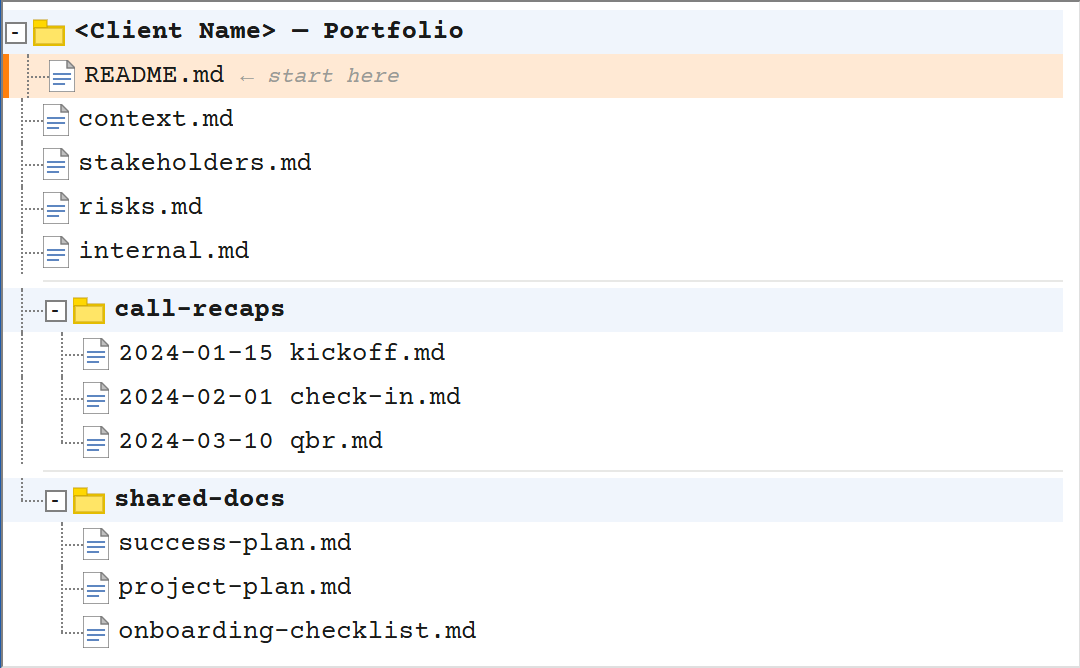
This mirrors the harness pattern: persistent, structured, purposeful context that loads on every session.
README.md (The Entry Point)
This file loads first. It's a screenful:
- Last updated date — so you know if you're looking at fresh context or stale
- Status snapshot — "On track, main feature launching next sprint" or "At risk: stakeholder alignment issue, main blockers, decision pending"
- The essentials table — tier, ARR, start date, target completion, platform/tech stack, links to relevant resources
- What they hired you for — the actual business goal, not feature list. What are they measured on?
- Navigation — which file to open for which question type
context.md
The heartbeat. Updated after every significant interaction.
- Current state — narrative status (not just "good/at risk" but why)
- In-flight work — what's in progress, who owns it, what's blocking
- Open action items — who's responsible, what's waiting on what
- Next priorities — the 3-5 things to focus on
stakeholders.md
Who is responsible for what and what’s important to them to succeed.
- Your team — roles, responsibilities, who owns what
- Their team — decision-makers, day-to-day contacts, communication preference
- Cadence — sync frequency, async channels, preferred methods
risks.md
Early warning signals. Not blocking yet, but worth monitoring. "VP approval timeline is uncertain" or "Technical team has capacity constraints on integration."
internal.md
Context for your team that shouldn’t appear in client-facing output. Sensitive dynamics, historical hiccups with the project/account, the strategic notes your team needs.
Why This Works Better
Conserve token/usage limits. Load the context once per session, from concise light-weight text files. Spend less time & tokens correcting low-quality output that you could have spent writing up yourself.
Fresher than long threads. The files are live documents you update after calls. Not ancient history living in a chat window.
Scalable across teams. Store the portfolio folder in cloud storage (shared drive, GitHub repo, whatever your team uses). New team members can access the same context. The account knowledge doesn't live in one person's head.
Claude understands the shape. Files organized by purpose means Claude knows which file to consult for which question. Does not need to load an entire unstructured CRM export doc and guess what is relevant to your prompt.
Making It Repeatable: Skills That Generate and Maintain Portfolios
Creating and maintaining a portfolio manually works, but the real power is automation. Build two skills:
Skill 1: Portfolio Creator. Run this before kickoff with a handover from the sales team or after KO with a transcript of the call. The skill runs and will:
- Interview you about the engagement (tier, timeline, team, goals, current status)
- Generates the portfolio folder structure with all files populated
- Creates a Claude Cowork project instructions to wire it to the folder
Skill 2: Portfolio Updater. Run this after calls, syncs, or weekly.
- Review transcripts or meeting notes you provide
- Detect what changed (status, in-flight items, blockers, risks)
- Suggest specific updates to each file
- Walk you through the changes before applying them
You stay in control, Claude suggests, you confirm, but the structure stays current without manual overhead.
What This Enables
A portfolio-driven workflow opens up possibilities:
Better client communication. Draft emails, proposals, or status updates with Claude, knowing it has full context. The output reflects what's actually true right now, not approximations and less hallucinations.
Risk visibility. Pair a risk assessment skill with the portfolio. Claude knows what's been tried, what matters to this client, what their constraints are. Risk recommendations become specific, not generic.
Smoother handoffs. Transition an account to another team member? The portfolio can quickly generate an accurate handoff document with everything they need to know to hit the ground running.